financial chart blue background

Blog

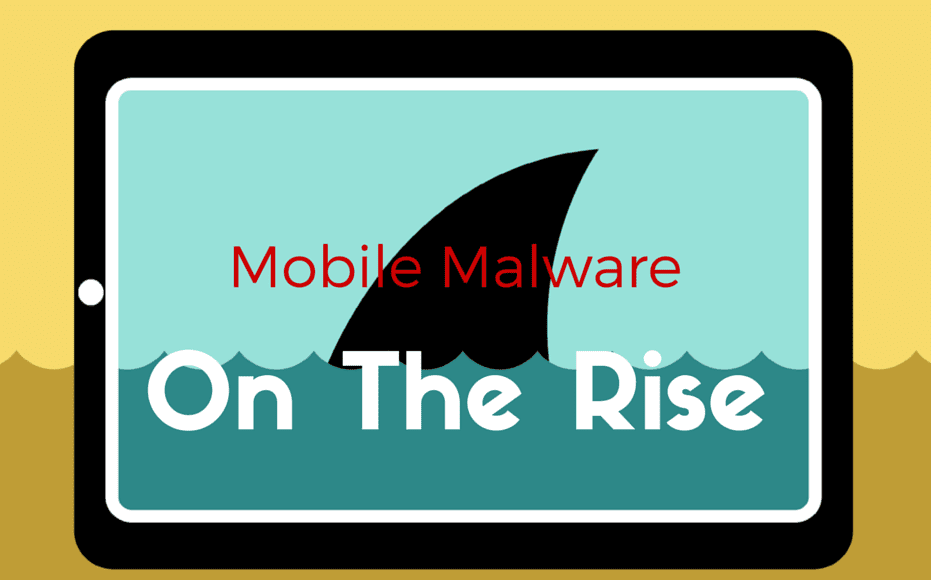
mobile malware on the rise

Mobile Malware on the Rise

Some people might be surprised to find that even their mobile devices aren’t safe from malware. Malicious software is no longer confined to desktop computers and the rate of infection for mobile devices is on the rise. As mobile browsing becomes more common and users are able to do more from their smartphones and tablets, hackers have found a new tool with which to wreak havoc: mobile malware.

Kaspersky Lab, a cybersecurity company, reported that their mobile products alone detected a total of 103,072 new malicious programs in the Q1 2015.
Three times the amount they found in Q4 2014.
With cyberterrorists finding newer ways to abuse and exploit the browsing behavior of mobile users it’s important for executives and consumers alike to understand what mobile malware might look like and how they can better protect themselves from it.

Read more

windows 10 update

Avoid Headaches When Upgrading to Windows 10

The buzz surrounding Microsoft’s Windows 10 shouldn’t be anything new to those considering the newest upgrade. You’ve either been pressured by the little box on the bottom right of your screen to make the switch, or you can’t escape the office debates, but no matter how you look at it, upgrading to Windows 10 is a big deal.

Of course you could say the same about any major software or Operating System (OS) upgrade. But when it comes to your OS, you absolutely have to weigh the pros and cons before making the decision to stay or upgrade.
 
Upgrading too soon can cause frustration and downtime. Neither of which will make the lives of your coworkers or customers any easier. Computers are an integral part of your business, understanding the risks inherent in any OS upgrade is critical in mitigating problems associated with the installation.
We recommend waiting at least six months between the dates the software is released and installing it. Because that six months is almost up (January 29th being the six-month mark of its release) for Windows 10, we came up with a list of the four main talking points—and their pros and cons—to help you avoid the pain of a botched upgrade to Windows 10.

Read more

cyber attack

Missing These Opens Up Your Computer to Cyber-Attacks

google-data-lost-info

Cyber-attacks have been a plague throughout the world this past year, whose victims include government agencies, businesses, international banks, and citizens. No one seems safe from data breaches, and because so many of these cyber terrorists evade capture, the problem seems unending. Anonymous hackers breach servers to dump terabytes of sensitive information, and their victims—often collateral damage—have their social security numbers, emails, names, and more displayed, sold, or exposed for the world to see.


In the business world, a breach in your computer security can lead to lost revenue, costly downtime, or even a loss of customers when sensitive company and client information is stolen. Typical dangers range from simple data theft and damaging malware attacks to cyber mischief meant to wreak havoc on your servers, weeks or even months after the initial breach. The most startling aspect of these dangers is how easily they infiltrate computers and servers, sometimes lingering in the background as they mine for data and record user information—all without your knowledge.
Hiring professional security is common practice for companies looking to protect warehouses full of goods, so why shouldn’t businesses extend the same protection to their valuable data? Securing your networks against cyber threats isn’t just about safeguarding information—it’s about assuring others that your company won’t experience sudden downtime or a halt in productivity due to a breach.
Below are four must-have factors if you want to dodge the next cyber-attack.

Read more

backup tape drive

Top 5 Worst High-Tech Habits to Break in 2016

Admit it – you have some bad habits when it comes to maintaining the security and health of the high-tech tools your business depends on everyday. Since it’s a fresh new year, we thought this would be a great time to point out some of the most popular bad habits most businesses should be working on in 2016.

Read more

smartphone password

10 Smartphone Security Tips

For better or worse we are all practically “married” to our phones these days. Our phones go everywhere we go and have access to our most private conversations as well as our most precious memories. But as useful as our phones are, they can also make us vulnerable to attacks by thieves and cyber-criminals determined to access our private information for personal gain.
So how can you use these smartphone security tips and avoid being manipulated or attacked by cyber-criminals? Here are some smart tips to keep your smartphone safe.

Read more

human error

The Most Shocking Threat to Your Lancaster, Harrisburg, or York Small Business Security

Hopefully by now you realize you need to keep a close watch over the security of your PC and other devices (or you’re smart enough to hire us to do it for you). Either way, cyber-crime is BIG business, and small business owners are seen as the low hanging fruit by attackers who are looking for easy-to-steal financial data, passwords and more.

But there’s a much bigger threat to small business data security that can not only leak your information out to the masses, but can also corrupt or erase data, screw up operations and bring everything to a screeching halt.

What is it? Surprisingly, it’s your employees.

Here are just some of the ways your employees could be compromising your business’s security and what you can do about it.

Read more

password security

How Long Would It Take To Crack Your Password?

Think about your strongest password. Does it contain more than one non-numeric symbol? How many characters long is it? Most important: can you REMEMBER your strongest password (without writing it down on a sticky note stuck to the corner of your PC screen)?

Protecting your online information and computer can easily boil down to having a strong enough password. What, then, makes a password strong? Password strength is a combination of letters, numbers, and symbols you use, or about meeting the minimum or maximum character length. Really, a strong password is a long password.

Read more

Top Three IT Mistakes your business make

The Three Biggest IT Mistakes Local Businesses Make

Want to avoid the most common and expensive computer problems most local business owners experience? Then read on! We’ve compiled a list of 3 things you should be doing to save yourself a lot of time and money, by avoiding a big, ugly computer disaster.

Read more

how to browse safely online

How to Browse Safely Online to Secure Your Computer

Those tiny pop-ups aren’t as harmless as you think.
As internet browsing is the go-to method for window shopping, running your business, and socializing, the digital world has had to make many improvements to keep up with the increase in activity.  What few realize is that consumers and businesses aren’t the only ones becoming tech-savvy.
Hackers have also joined the fray, and as websites become more complex, their methods for infiltrating our computers have evolved. Promises of free downloads, harmless add-ons, and other incentives designed to attract our attention and clicks have made infecting our computers easier than ever. You or your business depends on a computer or network, this means the effects of malware can be devastating.

Read more

top five network security mistakes

Top 5 Network Security Mistakes

weak passwords
no maintenance sign
security fail

When it comes to network security, some companies cut corners and suffer the consequences. From hacked emails to leaked documents, the integrity of your network can make or break your business. You may be a brand-new company or one that’s seen the horrors of one too many cracks in the firewall, but the bottom line is this: there are some easily avoided mistakes you could make with your network security.
We’ve picked five of the most common network security mistakes to give your company a fighting chance to protect its invaluable information.

1. Weak Passwords
With the rise in hacked social media accounts, it should be common sense to create stronger passwords for your different logins. Passwords that involve your spouse’s birthday or pet’s name just don’t cut it, and neither does using “password.” For your company’s network, you should ask all employees to create strong passwords—passwords that include a combination of capital and lower case letters, numbers, and special characters. An article on How To Geek has several suggestions for making a strong, memorable password.
As a note, you may need to change the settings of your network to allow special characters in your passwords.
2. Lack of Education
It helps if you have an IT department that knows what it’s doing, but if you really want to get ahead of security issues then educate your employees. Most malware is the result of misuse and avoidable errors, so teach your employees how to avoid downloading viruses or inviting spyware into the system. Keep employees in the loop on what new viruses are out there and how they can best avoid them. Prohibiting access to certain websites on company networks will also help prevent malware.
Employees don’t need to understand everything about computers to contribute to a more secure network. Providing them with a list of trusted browsers, websites, and hosts makes for an all-around safer company network.
3. No Maintenance
Keeping your network up to date on the latest security patches is critical in ensuring it’s safe from outside attacks. Hackers exploit loopholes and cracks in security as soon as they discover vulnerabilities in your network, which means you have to be just as vigilant in your upkeep.
Set a schedule for updates, scans, and patches to maintain the integrity of your network. IT departments come in handy for regular maintenance purposes as they’ll be dedicated to handling daily and long-term security concerns with constant updates to software and hardware.
4. Plug and Surf
Before you plug in any new laptops or desktops to your network—or any network for that matter—certain measures should be taken. Installing firewalls, anti-virus programs, and other forms of security first will prevent your new piece of equipment from becoming patient zero. Many new computers come with default firewalls and anti-virus programs, but there’s always second-party programs you can purchase and modify to suit your network’s needs.
An unprotected piece of hardware is a welcome haven for viruses and spyware, and once they’re on your computer, they could remain hidden as you load other sensitive data and programs onto it.
PC Mag has compiled a list of the best anti-virus software of 2015 that offers insight into what makes a good anti-virus program and which ones you should check out.
5. DIY—Do It Yourself
A qualified IT person should handle most security measures especially when it concerns initial setup. Configuring networks, applying the proper security measures, and installing the correct software can be difficult for beginners. Avoid lapses in security by investing in personnel dedicated to IT tasks. From one or two individuals to an entire department, putting your network’s security in the hands of someone educated in the ins and outs of computers and IT will be your best bet to ensuring a safe network.
It’s tempting to do everything yourself—you cut down on costs, pick up a few new skills, but you risk making mistakes that can cost you big down the line. Larger companies would be wise to have a department dedicated to IT, while smaller businesses should seek advice or hire contractors to help put together secure networks and establish protocols.
Network security means different things to different business. Many networks are used for internal office purposes, computers connected through the intranet, etcetera; but some security concerns apply to website and online stores—and that’s when security becomes of the utmost importance. If you can’t keep sensitive customer information safe from hackers, they may cease visiting your website and you’ll lose their business.
This is why many online stores display security certificates like SSL and TSL where they’re visible to customers. These certificates tell customers that their information will only be sent over secure, encrypted channels.
Developing and enhancing your network security doesn’t only protect your business, it builds credibility with clients and customers—and that is priceless.
If you need help with your network, don’t hesitate to contact us for a free network audit before it’s too late.

Read more