For better or worse we are all practically “married” to our phones these days. Our phones go everywhere we go and have access to our most private conversations as well as our most precious memories. But as useful as our phones are, they can also make us vulnerable to attacks by thieves and cyber-criminals determined to access our private information for personal gain. So how can you use these smartphone security tips and avoid being manipulated or attacked by cyber-criminals? Here are some smart tips to keep your smartphone safe.
Hopefully by now you realize you need to keep a close watch over the security of your PC and other devices (or you’re smart enough to hire us to do it for you). Either way, cyber-crime is BIG business, and small business owners are seen as the low hanging fruit by attackers who are looking for easy-to-steal financial data, passwords and more.
But there’s a much bigger threat to small business data security that can not only leak your information out to the masses, but can also corrupt or erase data, screw up operations and bring everything to a screeching halt.
What is it? Surprisingly, it’s your employees.
Here are just some of the ways your employees could be compromising your business’s security and what you can do about it.
Think about your strongest password. Does it contain more than one non-numeric symbol? How many characters long is it? Most important: can you REMEMBER your strongest password (without writing it down on a sticky note stuck to the corner of your PC screen)?
Protecting your online information and computer can easily boil down to having a strong enough password. What, then, makes a password strong? Password strength is a combination of letters, numbers, and symbols you use, or about meeting the minimum or maximum character length. Really, a strong password is a long password.
Want to avoid the most common and expensive computer problems most local business owners experience? Then read on! We’ve compiled a list of 3 things you should be doing to save yourself a lot of time and money, by avoiding a big, ugly computer disaster.
Those tiny pop-ups aren’t as harmless as you think. As internet browsing is the go-to method for window shopping, running your business, and socializing, the digital world has had to make many improvements to keep up with the increase in activity. What few realize is that consumers and businesses aren’t the only ones becoming tech-savvy. Hackers have also joined the fray, and as websites become more complex, their methods for infiltrating our computers have evolved. Promises of free downloads, harmless add-ons, and other incentives designed to attract our attention and clicks have made infecting our computers easier than ever. You or your business depends on a computer or network, this means the effects of malware can be devastating.
When it comes to network security, some companies cut corners and suffer the consequences. From hacked emails to leaked documents, the integrity of your network can make or break your business. You may be a brand-new company or one that’s seen the horrors of one too many cracks in the firewall, but the bottom line is this: there are some easily avoided mistakes you could make with your network security. We’ve picked five of the most common network security mistakes to give your company a fighting chance to protect its invaluable information.
1. Weak Passwords With the rise in hacked social media accounts, it should be common sense to create stronger passwords for your different logins. Passwords that involve your spouse’s birthday or pet’s name just don’t cut it, and neither does using “password.” For your company’s network, you should ask all employees to create strong passwords—passwords that include a combination of capital and lower case letters, numbers, and special characters. An article on How To Geek has several suggestions for making a strong, memorable password. As a note, you may need to change the settings of your network to allow special characters in your passwords. 2. Lack of Education It helps if you have an IT department that knows what it’s doing, but if you really want to get ahead of security issues then educate your employees. Most malware is the result of misuse and avoidable errors, so teach your employees how to avoid downloading viruses or inviting spyware into the system. Keep employees in the loop on what new viruses are out there and how they can best avoid them. Prohibiting access to certain websites on company networks will also help prevent malware. Employees don’t need to understand everything about computers to contribute to a more secure network. Providing them with a list of trusted browsers, websites, and hosts makes for an all-around safer company network. 3. No Maintenance Keeping your network up to date on the latest security patches is critical in ensuring it’s safe from outside attacks. Hackers exploit loopholes and cracks in security as soon as they discover vulnerabilities in your network, which means you have to be just as vigilant in your upkeep. Set a schedule for updates, scans, and patches to maintain the integrity of your network. IT departments come in handy for regular maintenance purposes as they’ll be dedicated to handling daily and long-term security concerns with constant updates to software and hardware. 4. Plug and Surf Before you plug in any new laptops or desktops to your network—or any network for that matter—certain measures should be taken. Installing firewalls, anti-virus programs, and other forms of security first will prevent your new piece of equipment from becoming patient zero. Many new computers come with default firewalls and anti-virus programs, but there’s always second-party programs you can purchase and modify to suit your network’s needs. An unprotected piece of hardware is a welcome haven for viruses and spyware, and once they’re on your computer, they could remain hidden as you load other sensitive data and programs onto it. PC Mag has compiled a list of the best anti-virus software of 2015 that offers insight into what makes a good anti-virus program and which ones you should check out. 5. DIY—Do It Yourself A qualified IT person should handle most security measures especially when it concerns initial setup. Configuring networks, applying the proper security measures, and installing the correct software can be difficult for beginners. Avoid lapses in security by investing in personnel dedicated to IT tasks. From one or two individuals to an entire department, putting your network’s security in the hands of someone educated in the ins and outs of computers and IT will be your best bet to ensuring a safe network. It’s tempting to do everything yourself—you cut down on costs, pick up a few new skills, but you risk making mistakes that can cost you big down the line. Larger companies would be wise to have a department dedicated to IT, while smaller businesses should seek advice or hire contractors to help put together secure networks and establish protocols. Network security means different things to different business. Many networks are used for internal office purposes, computers connected through the intranet, etcetera; but some security concerns apply to website and online stores—and that’s when security becomes of the utmost importance. If you can’t keep sensitive customer information safe from hackers, they may cease visiting your website and you’ll lose their business. This is why many online stores display security certificates like SSL and TSL where they’re visible to customers. These certificates tell customers that their information will only be sent over secure, encrypted channels. Developing and enhancing your network security doesn’t only protect your business, it builds credibility with clients and customers—and that is priceless. If you need help with your network, don’t hesitate to contact us for a free network audit before it’s too late.
You’re off to your favorite vacation spot, raring to get your well-deserved break underway when you suddenly remember the urgent email you forgot to send before leaving the office. The beachfront diner has free Wi-Fi so you figure, “Why not?” …
It’s almost impossible to have a discussion about networking technology today without talking about “the cloud.” In fact, as of 2014, nearly 90% of all business have adopted cloud technology to some degree. So where does your business stand when it comes to implementing cloud technology? If you’ve been thinking about moving to the cloud, here are six things to consider before you make your move.
Over the last 15 years, there have been thousands of IT disasters that we have read or heard about. A few that come to mind are:
2008 the Census Bureau attempts to go paperless by using handhelds. The project failed -paper was used and the cost was in the millions.
Also in 2008, American La France builder of firetrucks in the US rushed an ERP implementation of new software and ended up filing bankruptcy.
Heartland Payment System was hacked in 2009 compromising hundreds of millions of credit card accounts.
2013 saw Target have their own issues with hackers that exposed data and credit card information that cost them millions as well.
Sony had problems with hackers in 2014 that cost them millions and exposed thousands of emails and other information that was not meant for public view.
We could go on and on listing hundreds of well-known publicized IT failures and disasters that have occurred since the year 2000 rolled in. (Of course, who can forget the great Y2K debacle that cost private businesses millions of dollars?)
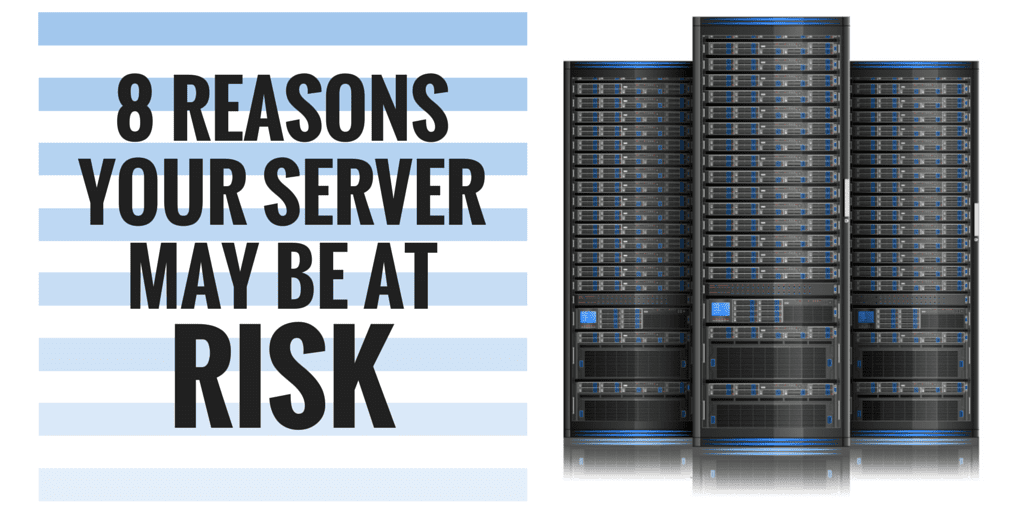
Your server is the heart of your business network. When something goes wrong, you lose access to key resources while productivity, customer service, and your bottom line suffers. Yet many businesses inadvertently compromise the security of their servers, leaving them vulnerable to hacker attacks, internal security issues or even simple power outages. So is your server at risk? Here are 8 things you may be forgetting that could be compromising your server’s security.
Whether a CAPTCHA or Javascript challenge has been solved.
session
cf_ob_info
The cf_ob_info cookie provides information on: The HTTP Status Code returned by the origin web server. The Ray ID of the original failed request. The data center serving the traffic
session
__cfseq
Sequence rules uses cookies to track the order of requests a user has made and the time between requests and makes them available via Cloudflare Rules. This allows you to write rules that match valid or invalid sequences. The specific cookies used to validate sequences are called sequence cookies.
session
_cfuvid
The _cfuvid cookie is only set when a site uses this option in a Rate Limiting Rule, and is only used to allow the Cloudflare WAF to distinguish individual users who share the same IP address.
session
__cflb
When enabling session affinity with Cloudflare Load Balancer, Cloudflare sets a __cflb cookie with a unique value on the first response to the requesting client. Cloudflare routes future requests to the same origin, optimizing network resource usage. In the event of a failover, Cloudflare sets a new __cflb cookie to direct future requests to the failover pool.
session
__cf_bm
Cloudflare's bot products identify and mitigate automated traffic to protect your site from bad bots. Cloudflare places the __cf_bm cookie on End User devices that access Customer sites that are protected by Bot Management or Bot Fight Mode. The __cf_bm cookie is necessary for the proper functioning of these bot solutions.
session
__cfruid
Used by the content network, Cloudflare, to identify trusted web traffic.
session
cf_chl_rc_m
These cookies are for internal use which allows Cloudflare to identify production issues on clients.
session
cf_chl_rc_ni
These cookies are for internal use which allows Cloudflare to identify production issues on clients.
session
cf_chl_rc_i
These cookies are for internal use which allows Cloudflare to identify production issues on clients.
session
__cfwaitingroom
The __cfwaitingroom cookie is only used to track visitors that access a waiting room enabled host and path combination for a zone. Visitors using a browser that does not accept cookies cannot visit the host and path combination while the waiting room is active.
session
cf_use_ob
The cf_use_ob cookie informs Cloudflare to fetch the requested resource from the Always Online cache on the designated port. Applicable values are: 0, 80, and 443. The cf_ob_info and cf_use_ob cookies are persistent cookies that expire after 30 seconds.
session
Google reCAPTCHA helps protect websites from spam and abuse by verifying user interactions through challenges.
Name
Description
Duration
_GRECAPTCHA
Google reCAPTCHA sets a necessary cookie (_GRECAPTCHA) when executed for the purpose of providing its risk analysis.
179 days
Google Tag Manager simplifies the management of marketing tags on your website without code changes.
Name
Description
Duration
td
Registers statistical data on users' behaviour on the website. Used for internal analytics by the website operator.
session
cookiePreferences
Registers cookie preferences of a user
2 years
WhatConverts is a call tracking and lead intelligence platform that captures and attributes leads — including phone calls, form submissions, and chat interactions — to the marketing campaigns, keywords, and traffic sources that generated them. It uses dynamic number insertion (DNI) to swap phone numbers on the page in real time, enabling accurate tracking of which marketing efforts drive inbound calls and conversions.
Used by WhatConverts to store a unique visitor identifier. Links the visitor's session to their marketing source, enabling lead and conversion attribution across visits.
2 years
wc_swap
Set by WhatConverts call tracking software. Temporarily stores phone number swapping data used to dynamically replace phone numbers on the page with tracked numbers, allowing WhatConverts to attribute incoming calls to specific marketing campaigns and traffic sources.
5 minutes
wc_client_current
Used by WhatConverts to store the current visitor's client tracking data including referral source and visit details. Works alongside wc_client to maintain up-to-date attribution data for the active session.
Session
wc_client
Set by WhatConverts call tracking software. Identifies the client account associated with the tracking session, used to attribute website visits and conversions to specific marketing campaigns and traffic sources.
Session
_gd[timestamp]
Used by WhatConverts to track website visitors for lead attribution and call tracking. Stores a unique visitor identifier to connect marketing sources to leads and conversions.
Session
Statistics cookies collect information anonymously. This information helps us understand how visitors use our website.
Google Ads is an online advertising platform that enables businesses to create targeted ads displayed on Google search results and partner sites.
Targeting cookie. Used to profile the interests of website visitors and display relevant and personalised Google ads.
2 years
__Secure-1PSIDCC
Targeting cookie. Used to create a user profile and display relevant and personalised Google Ads to the user.
2 years
__Secure-3PAPISID
Profiles the interests of website visitors to serve relevant and personalised ads through retargeting.
2 years
AEC
AEC cookies ensure that requests within a browsing session are made by the user, and not by other sites. These cookies prevent malicious sites from acting on behalf of a user without that user's knowledge.
6 months
ADS_VISITOR_ID
Cookie required to use the options and on-site web services
2 months
__Secure-3PSIDCC
Targeting cookie. Used to create a user profile and display relevant and personalised Google Ads to the user.
2 years
__Secure-3PSIDTS
Targeting cookie. Used to create a user profile and display relevant and personalised Google Ads to the user.
2 years
__Secure-1PSIDTS
Targeting cookie. Used to create a user profile and display relevant and personalised Google Ads to the user.
2 years
__Secure-1PAPISID
Targeting cookie. Used to create a user profile and display relevant and personalised Google Ads to the user.
2 years
Conversion
Google uses cookies for advertising, including serving and rendering ads, personalizing ads (depending on your ad settings at g.co/adsettings), limiting the number of times an ad is shown to a user, muting ads you have chosen to stop seeing, and measuring the effectiveness of ads.
90 days
_gcl_aw
Google uses cookies for advertising, including serving and rendering ads, personalizing ads (depending on your ad settings at g.co/adsettings), limiting the number of times an ad is shown to a user, muting ads you have chosen to stop seeing, and measuring the effectiveness of ads.
90 Days
_gcl_gs
Google uses cookies for advertising, including serving and rendering ads, personalizing ads (depending on your ad settings at g.co/adsettings), limiting the number of times an ad is shown to a user, muting ads you have chosen to stop seeing, and measuring the effectiveness of ads.
90 Days
_gcl_gb
Google uses cookies for advertising, including serving and rendering ads, personalizing ads (depending on your ad settings at g.co/adsettings), limiting the number of times an ad is shown to a user, muting ads you have chosen to stop seeing, and measuring the effectiveness of ads.
90 Days
_gac_gb_
Google uses cookies for advertising, including serving and rendering ads, personalizing ads (depending on your ad settings at g.co/adsettings), limiting the number of times an ad is shown to a user, muting ads you have chosen to stop seeing, and measuring the effectiveness of ads.
90 Days
FPGCLGB
Google uses cookies for advertising, including serving and rendering ads, personalizing ads (depending on your ad settings at g.co/adsettings), limiting the number of times an ad is shown to a user, muting ads you have chosen to stop seeing, and measuring the effectiveness of ads.
90 Days
FPGCLAW
Google uses cookies for advertising, including serving and rendering ads, personalizing ads (depending on your ad settings at g.co/adsettings), limiting the number of times an ad is shown to a user, muting ads you have chosen to stop seeing, and measuring the effectiveness of ads.
90 Days
__Secure-1PSID
Targeting cookie. Used to create a user profile and display relevant and personalised Google Ads to the user.
2 years
Google Analytics is a powerful tool that tracks and analyzes website traffic for informed marketing decisions.
Used by Google Analytics to determine which links on a page are being clicked
30 seconds
__utma
ID used to identify users and sessions
2 years after last activity
__utmt
Used to monitor number of Google Analytics server requests
10 minutes
__utmb
Used to distinguish new sessions and visits. This cookie is set when the GA.js javascript library is loaded and there is no existing __utmb cookie. The cookie is updated every time data is sent to the Google Analytics server.
30 minutes after last activity
__utmc
Used only with old Urchin versions of Google Analytics and not with GA.js. Was used to distinguish between new sessions and visits at the end of a session.
End of session (browser)
__utmz
Contains information about the traffic source or campaign that directed user to the website. The cookie is set when the GA.js javascript is loaded and updated when data is sent to the Google Anaytics server
6 months after last activity
__utmv
Contains custom information set by the web developer via the _setCustomVar method in Google Analytics. This cookie is updated every time new data is sent to the Google Analytics server.
2 years after last activity
__utmx
Used to determine whether a user is included in an A / B or Multivariate test.
18 months
_ga
ID used to identify users
2 years
_gac_
Contains information related to marketing campaigns of the user. These are shared with Google AdWords / Google Ads when the Google Ads and Google Analytics accounts are linked together.
90 days
_ga_
ID used to identify users
2 years
_gid
ID used to identify users for 24 hours after last activity
24 hours
_gat
Used to monitor number of Google Analytics server requests when using Google Tag Manager
1 minute
Clarity is a web analytics service that tracks and reports website traffic.
Set by AdRoll to track user engagement and ad interactions. Used to measure the performance of retargeting campaigns by recording whether a visitor has engaged with an AdRoll-served advertisement.
Session
__ar_v4
Stores a unique visitor identifier used by AdRoll to recognize returning users across sessions and deliver targeted retargeting advertisements. The "v4" indicates the fourth version of AdRoll's core visitor tracking cookie.
12 months
__adroll_fpc
Assigns a unique visitor ID used by AdRoll to track browsing behavior and deliver targeted retargeting ads across the web.
12 months
__adroll_consent_params
Stores consent parameters recorded by AdRoll's retargeting system. This cookie tracks whether and what type of consent has been communicated to AdRoll's advertising platform.
Session
Facebook Pixel is a web analytics service that tracks and reports website traffic.
Set by Google Tag Manager on behalf of Google Ads. Stores a unique token used to measure the effectiveness of ad campaigns by linking ad clicks to conversions on the site. Also used by AdSense to experiment with advertisement efficiency.
3 months
__Secure-1PAPISID
Targeting cookie. Used to create a user profile and display relevant and personalised Google Ads to the user.
2 years
FPGCLAW
Google uses cookies for advertising, including serving and rendering ads, personalizing ads (depending on your ad settings at g.co/adsettings), limiting the number of times an ad is shown to a user, muting ads you have chosen to stop seeing, and measuring the effectiveness of ads.
90 Days
FPGCLGB
Google uses cookies for advertising, including serving and rendering ads, personalizing ads (depending on your ad settings at g.co/adsettings), limiting the number of times an ad is shown to a user, muting ads you have chosen to stop seeing, and measuring the effectiveness of ads.
90 Days
_gac_gb_
Google uses cookies for advertising, including serving and rendering ads, personalizing ads (depending on your ad settings at g.co/adsettings), limiting the number of times an ad is shown to a user, muting ads you have chosen to stop seeing, and measuring the effectiveness of ads.
90 Days
_gcl_gb
Google uses cookies for advertising, including serving and rendering ads, personalizing ads (depending on your ad settings at g.co/adsettings), limiting the number of times an ad is shown to a user, muting ads you have chosen to stop seeing, and measuring the effectiveness of ads.
90 Days
_gcl_gs
Google uses cookies for advertising, including serving and rendering ads, personalizing ads (depending on your ad settings at g.co/adsettings), limiting the number of times an ad is shown to a user, muting ads you have chosen to stop seeing, and measuring the effectiveness of ads.
90 Days
_gcl_aw
Google uses cookies for advertising, including serving and rendering ads, personalizing ads (depending on your ad settings at g.co/adsettings), limiting the number of times an ad is shown to a user, muting ads you have chosen to stop seeing, and measuring the effectiveness of ads.
90 Days
Conversion
Google uses cookies for advertising, including serving and rendering ads, personalizing ads (depending on your ad settings at g.co/adsettings), limiting the number of times an ad is shown to a user, muting ads you have chosen to stop seeing, and measuring the effectiveness of ads.
90 days
__Secure-3PSID
Targeting cookie. Used to profile the interests of website visitors and display relevant and personalised Google ads.
2 years
__Secure-1PSIDTS
Targeting cookie. Used to create a user profile and display relevant and personalised Google Ads to the user.
2 years
__Secure-3PSIDTS
Targeting cookie. Used to create a user profile and display relevant and personalised Google Ads to the user.
2 years
__Secure-3PSIDCC
Targeting cookie. Used to create a user profile and display relevant and personalised Google Ads to the user.
2 years
ADS_VISITOR_ID
Cookie required to use the options and on-site web services
2 months
AEC
AEC cookies ensure that requests within a browsing session are made by the user, and not by other sites. These cookies prevent malicious sites from acting on behalf of a user without that user's knowledge.
6 months
__Secure-3PAPISID
Profiles the interests of website visitors to serve relevant and personalised ads through retargeting.
2 years
__Secure-1PSIDCC
Targeting cookie. Used to create a user profile and display relevant and personalised Google Ads to the user.
2 years
__Secure-1PSID
Targeting cookie. Used to create a user profile and display relevant and personalised Google Ads to the user.
2 years
Reddit Ads tracks visitor behavior and ad conversions using the Reddit Pixel. It enables retargeting and audience building for campaigns run on Reddit's advertising platform.
Sets a unique visitor ID used by the Reddit Ads pixel to track user behavior and measure the effectiveness of Reddit advertising campaigns. Used for conversion tracking and retargeting audiences on Reddit.
3 months
StackAdapt is a programmatic advertising platform that tracks visitor behavior across websites to deliver targeted ads and retargeting campaigns through real-time bidding.
The fourth version of StackAdapt's visitor identification cookie. Stores a unique user ID to track visitors across websites for programmatic ad targeting, retargeting, and real-time bidding through StackAdapt's advertising network.
1 year
sa-user-id-v3
The latest version of StackAdapt's visitor identification cookie. Stores a unique user ID to track visitors across websites for programmatic ad targeting, retargeting, and real-time bidding through StackAdapt's advertising network.
1 year
sa-user-id-v2
An updated version of StackAdapt's visitor identification cookie. Assigns and stores a unique user ID to track visitors across websites for programmatic ad targeting, retargeting, and real-time bidding through StackAdapt's advertising network.
1 year
sa-user-id
Set by StackAdapt, a programmatic advertising platform. Assigns a unique visitor ID used to track users across websites for the purpose of delivering targeted advertisements and real-time bidding through third-party ad networks.