


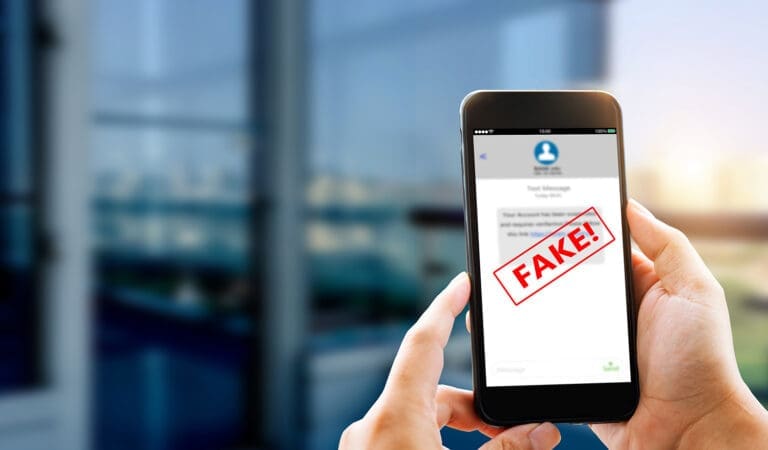
Phishing is a type of cyberattack where criminals send fake emails, texts, or messages that look legitimate to trick you or your employees into handing over passwords, financial information, or access to your systems.
According to the U.S. Department of State, phishing is currently the most common and most successful type of cyberattack targeting businesses today.
The good news? You don’t have to be a tech expert to fight back.
With the right tools and habits in place, you can block most phishing attacks before they ever reach your team.
Key Takeaways
- Phishing attacks are the #1 method hackers use to break into small business networks.
- Most phishing emails are designed to look legitimate, making employee awareness essential.
- Layering email filters, MFA, and security training gives you the strongest defense.
- Spear phishing targets specific people at your company, making it especially dangerous.
- You don’t need to handle this alone. A trusted IT partner can put the right protections in place for you.
Why Are Small Businesses Such Easy Targets for Phishing?
Hackers go after small businesses on purpose, and here are a few reasons why:
- No dedicated IT staff
- Outdated or missing security tools
- No formal security training
- Passwords aren’t protected
- Breaches go undetected for weeks or months
- Employees easily trust familiar-looking emails
- Has a lot of valuable data, but less protection
The damage isn’t just an annoying inconvenience. A single successful phishing attack can expose customer data, lock you out of your systems, and cost you thousands of dollars in recovery.
What Does a Phishing Email Actually Look Like?
Phishing emails are designed to look like they’re coming from someone you trust, like your bank, Microsoft, a vendor, or even a colleague.
Common signs of a phishing attempt include:
- A sender email address that’s slightly off (e.g., [email protected])
- Urgent language like “Your account will be suspended in 24 hours”
- Links that go to a fake login page
- Attachments you weren’t expecting
- Requests for passwords, wire transfers, or login credentials
When in doubt, don’t click. Call the sender directly to verify.
How Do You Stop Phishing Attacks Before They Reach Your Inbox?
This is where having the right layers of protection makes all the difference. Here are 10 practical ways to get ahead of phishing campaigns before they cause damage.
1. Use Advanced Email Filtering
Your email platform’s built-in spam filter is a starting point, but it’s not enough on its own. Advanced email security tools can analyze incoming messages, flag suspicious senders, and block known phishing domains before they land in your inbox.
2. Turn On Multi-Factor Authentication (MFA)
Multi-Factor Authentication (MFA) means that even if a hacker gets your password through a phishing message, they still can’t log in without a second form of verification. It’s one of the most effective defenses you can enable, and it takes minutes to set up.
3. Train Your Team Regularly
Your employees are your first line of defense. Regular training helps them recognize phishing emails, spear phishing attempts, and suspicious links before clicking. Even a short, monthly refresher makes a huge difference.
4. Simulate Phishing Attacks with Your Team
Sending simulated phishing emails to your own team sounds counterintuitive, but it’s one of the best ways to find out who needs more training. It creates a safe, low-stakes way to practice spotting phishing campaigns without real consequences.
5. Implement Email Authentication Protocols
Tools like SPF, DKIM, and DMARC are behind-the-scenes email standards that verify whether an email actually came from the domain it claims to. These protocols stop attackers from spoofing your domain or impersonating your vendors. Your IT team can set these up for you.
6. Keep Software and Systems Updated
Outdated software is full of security gaps that phishing attacks can exploit. Regular updates close those gaps. This applies to your email client, browsers, operating system, and any software your team uses daily. Always remember to keep your systems up to date.
7. Restrict Access Based on Role
Not everyone in your business needs access to everything. Limiting who can access sensitive data, financial systems, or admin accounts means that even if a phishing attempt succeeds with one employee, the damage is contained.
8. Use DNS Filtering to Block Malicious Sites
DNS filtering acts like a traffic cop for your internet connection. When an employee accidentally clicks a link in a phishing email, DNS filtering can block the malicious website before it loads. It’s a quiet but powerful layer of protection.
9. Watch Out for Spear Phishing
Spear phishing is a more targeted version of a phishing attack. Instead of blasting out generic emails, hackers research your business and craft messages that appear to come from your CEO, your accountant, or a vendor you work with regularly.
These are harder to spot and far more dangerous. Make sure your team knows that any unusual financial request, even one that looks like it’s from the boss, should be verified by phone.
10. Partner with a Proactive IT Company
The most reliable way to protect your business from phishing is to work with an IT partner who’s watching for threats every day. A good IT company will set up the right email security tools, monitor for suspicious activity, and help your team stay ahead of evolving phishing campaigns without you having to think about it.
What’s the Difference Between Phishing and Spear Phishing?
Regular phishing casts a wide net; meanwhile, spear phishing is surgical. Here’s a quick comparison between them:
- A standard phishing attempt might go out to thousands of email addresses at once, hoping someone bites.
- A Spear phishing attack targets one specific person or business using personalized details to make the message feel real and credible.
Both are dangerous, but spear phishing is typically used against businesses and can be much harder for employees to detect without proper training.
What Should You Do If Someone on Your Team Clicks a Phishing Link?
It’s important to act fast. Here’s what to do immediately:
- Disconnect the device from your network (unplug the Ethernet or turn off Wi-Fi).
- Don’t panic or try to fix it yourself. Call your IT team right away.
- Change passwords for any accounts that may have been compromised.
- Alert your team so others know what happened and what to look for.
- Document everything so your IT team can investigate and contain the damage.
The faster you respond, the less damage is done.
Having a plan in place before an incident happens is what separates prepared businesses from the ones that struggle to recover.
Don’t Let an Online Thief Walk Right Into Your Business
Find out the top tricks identity thieves use to access your network, and exactly how to stop them. It’s all inside this free guide.
Phishing Protection for Lancaster, PA Small Businesses
Phishing hits businesses of every size, in every industry, and in every city, including right here in Lancaster, York, and Harrisburg. The difference between businesses that get hit hard and those that recover quickly comes down to preparation.
If you’re not sure whether your current setup can catch phishing attacks before they cause damage, now is the right time to find out.
Our professional IT team can review your cybersecurity posture and put the right protections in place so you can stop worrying about your inbox and focus on running your business.
Schedule a 15-minute call, and let’s take a look at where you stand.
